License: MIT GitHub stars

An autonomous browser agent that works in your real browser

LazeeBrowse.ai drives the browser you already have open — navigating, clicking, typing, running JavaScript, and capturing network activity — while producing reports, PDFs, DOCX/XLSX files, and more.

Functionalities

Everything the agent can do out of the box.

🧭

Real browser control

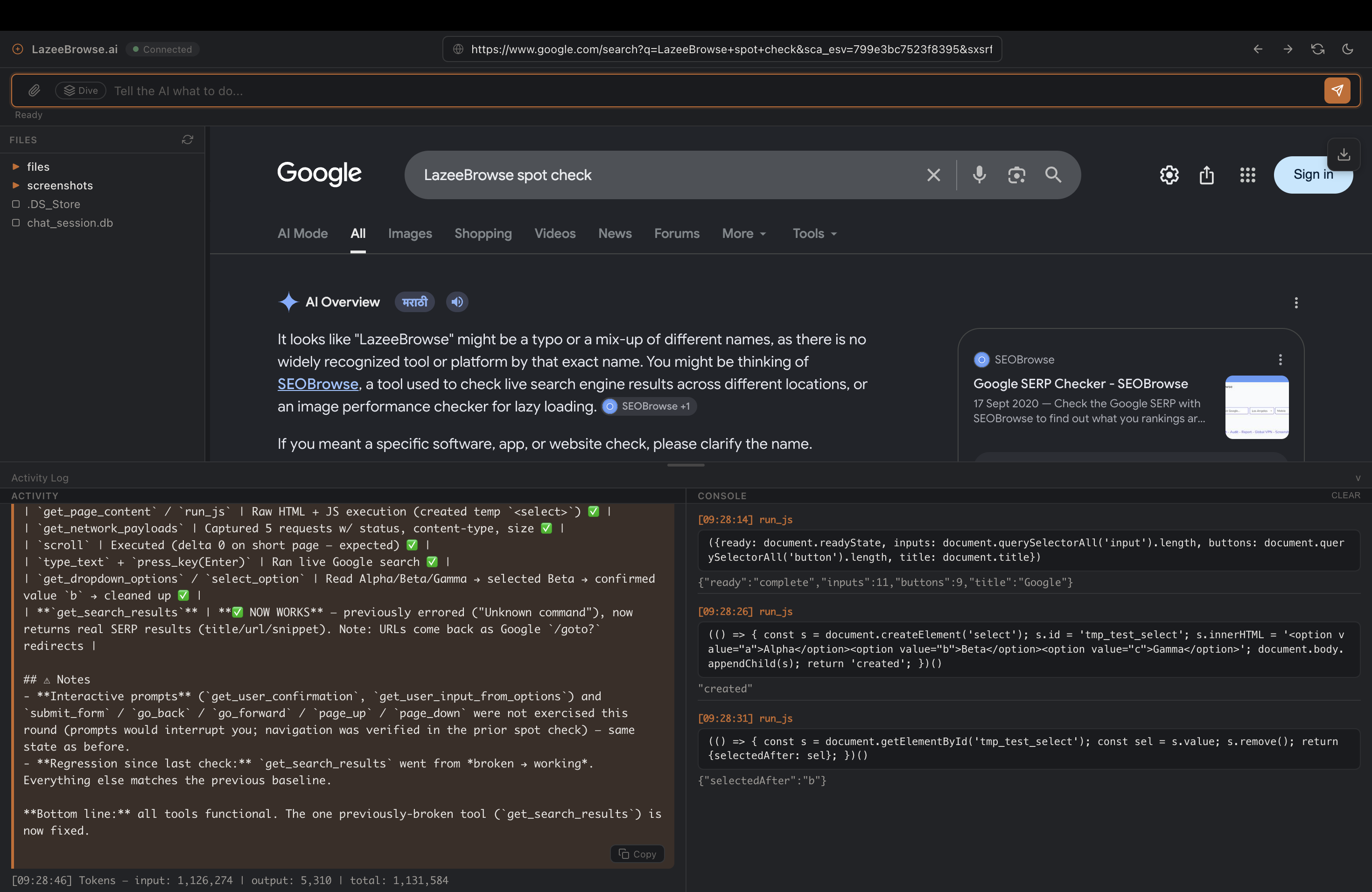
Navigate, click, type, scroll, submit forms, and press keys through a live Electron webview — the agent interacts with the browser exactly like you would.

Run JavaScript on the page

Execute arbitrary JavaScript in the live page context to scrape data, mutate the DOM, or drive embedded app logic directly.

📡

Network capture

Inspect the payloads a site loads — URLs, methods, status codes, and request bodies — via Electron's webRequest hooks.

🌳

Deep Dive (Tree-of-Thought)

When a task is complex, the agent explores multiple strategies, scores each one, backtracks, and replans until it converges on a solution.

📄

Document generation

Produce reports as PDF (HTML/CSS via headless Chromium), DOCX, XLSX, or text/markdown — and read back PDF, DOCX, XLSX, and PPTX files.

🧠

Hybrid rolling memory

Recent messages are kept raw while older context is rolled into a summary persisted in SQLite, so long sessions stay coherent.

🔌

Multi-provider LLM support

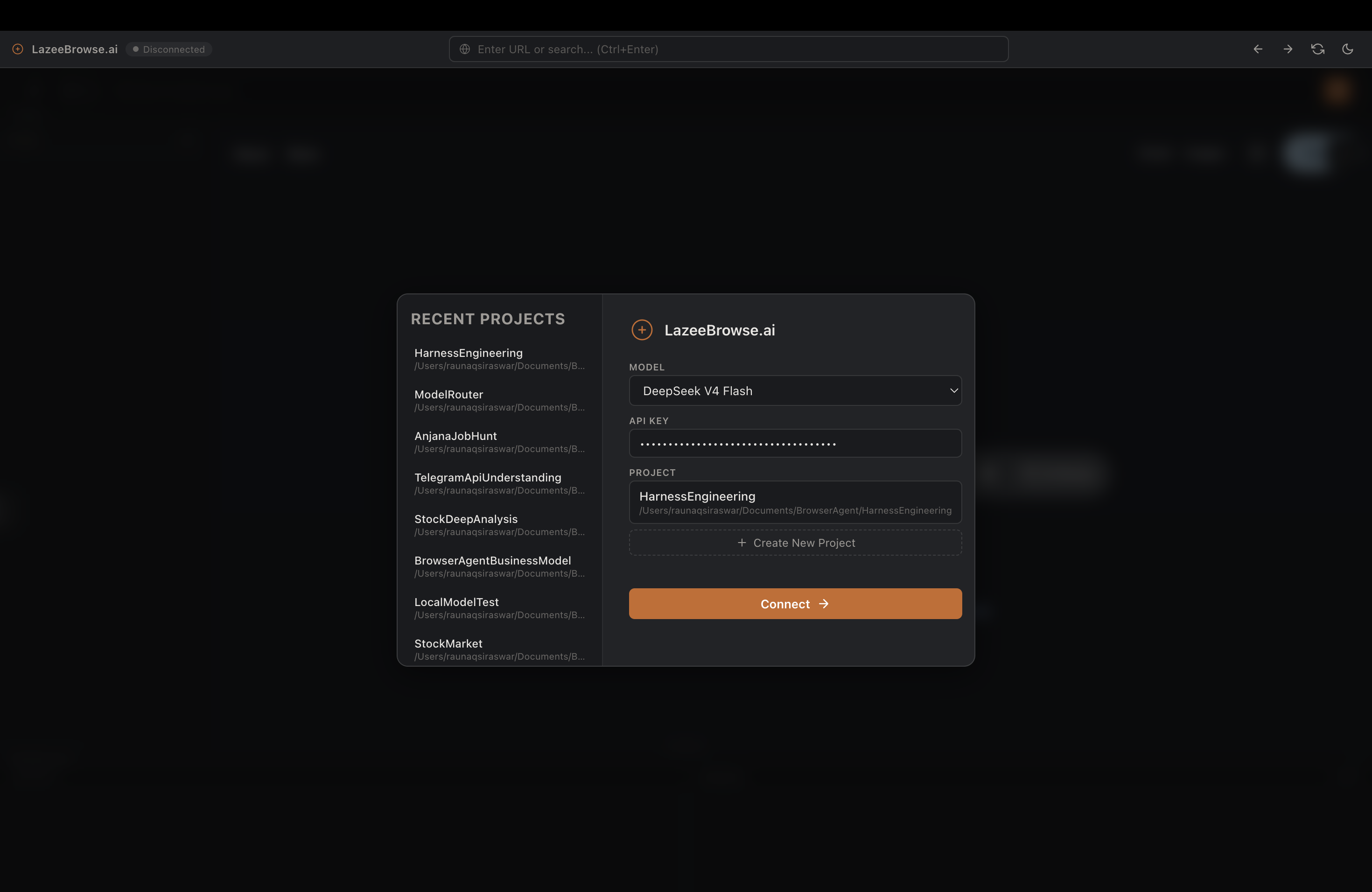
Bring your own API key for OpenAI, Anthropic Claude, Google Gemini, DeepSeek, or OpenRouter — switch models from a dropdown any time.

🎨

Frameless desktop UI

Clean frameless Electron window with light/dark themes, a file sidebar, and a save-to-PDF overlay for capturing results.

How it works

Two lightweight pieces talking over a WebSocket.

Electron frontend

Hosts the live browser webview, captures network traffic, executes JS, and manages the UI. It also spawns the backend at launch.

FastAPI backend

A WebSocket server that runs the agent loop: planning, tool selection, Tree-of-Thought deep dives, and chat/memory management.

WebSocket session

Each session connects to ws://localhost:8000/ws/{session_id}. Browser commands flow as browser_command messages and return as browser_result.

Deliverables

The agent saves generated files, reports, and summaries to your chosen project folder — reviewable and editable afterward.

Screenshots

LazeeBrowse.ai in action.

LazeeBrowse.ai start screen LazeeBrowse.ai browser in action

Get started

Prerequisites: Python 3.13+, Node.js 18+, and an LLM API key from any supported provider.

# One-command setup and launch
./run.sh

# — or manually —
# Backend
cd fastapi-server
python3.13 -m venv .venv
source .venv/bin/activate
pip install -r requirements.txt
python main.py

# Frontend (separate terminal)
cd electron
npm install
npm start

Prefer containers? docker compose up --build desktop runs the full app over noVNC at http://localhost:6080/vnc.html.

Tech stack

Open source throughout.

Electron · frontend shell FastAPI · WebSocket backend LangChain / LangGraph · agent orchestration deepagents · tool-calling agents SQLite · settings + rolling memory Playwright · headless PDF rendering Docker / VNC · containerized desktop